


instantly spot what’s stuck
Fix what's holding you back
Look across all your projects | Let the right TODOs come to you | Spot and fix blocked TODOs early |
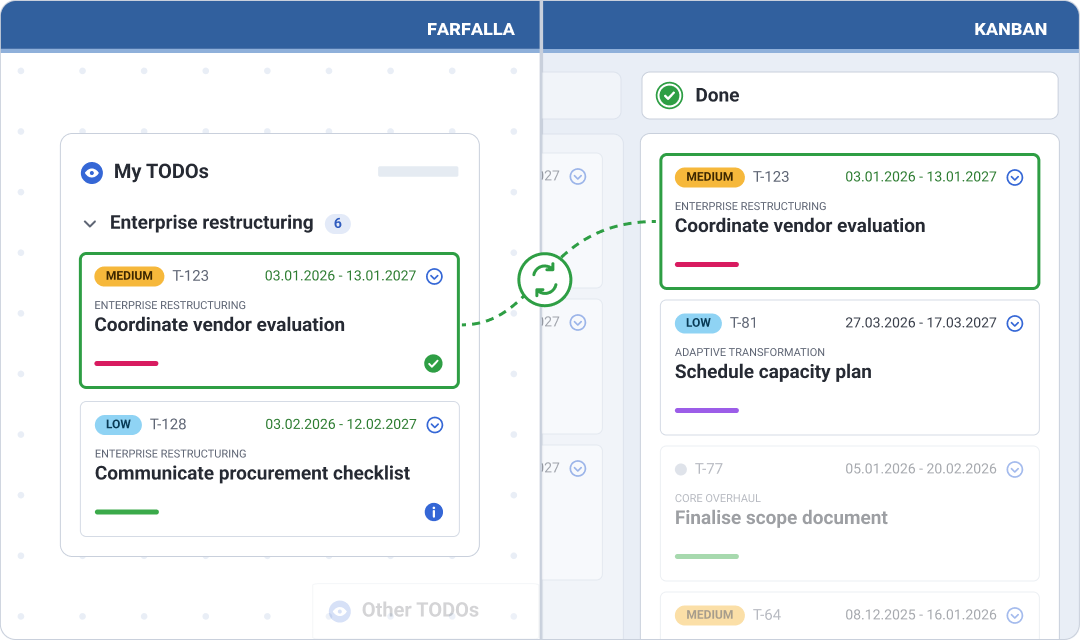
Keep TODOs from different projects and portfolios side by side, so you can decide what comes first. | Forget the manual work: connect anything to a group and Farfalla collects all the related TODOs for you. | See straight away what is stuck or late, while there is still time to act. Filter by status, priority, deadline and more. |
Arrange and rearrange it your way
Shape the whiteboard to your workflow, and reshape it as your needs change.
Neat or messy, it works either way | Room for everything in a single place |
Change the board whenever you need. Anything is fine: a clean list, a board full of groups or your balanced mix. | Work on an unlimited whiteboard and mark out areas with their own colour and heading. |
Neat or messy, it works either way | Room for everything in a single place |
Change the board whenever you need. Anything is fine: a clean list, a board full of groups or your balanced mix. | Work on an unlimited whiteboard and mark out areas with their own colour and heading. |
Farfalla in your daily routine
Explore real ways Farfalla helps you organise work
 |  |
Employee use cases | Project Manager use cases |
Start every morning knowing your priorities, lay out your week on Friday and walk into team meetings with a full report on what you have accomplished. | Set a whiteboard to see risks, workload and priorities across all your projects in one place, and build an environment that shows what waits for your input. |
| |
Employee use cases | Project Manager use cases |
Start every morning knowing your priorities, lay out your week on Friday and walk into team meetings with a full report on what you have accomplished. | Set a whiteboard to see risks, workload and priorities across all your projects in one place, and build an environment that shows what waits for your input. |